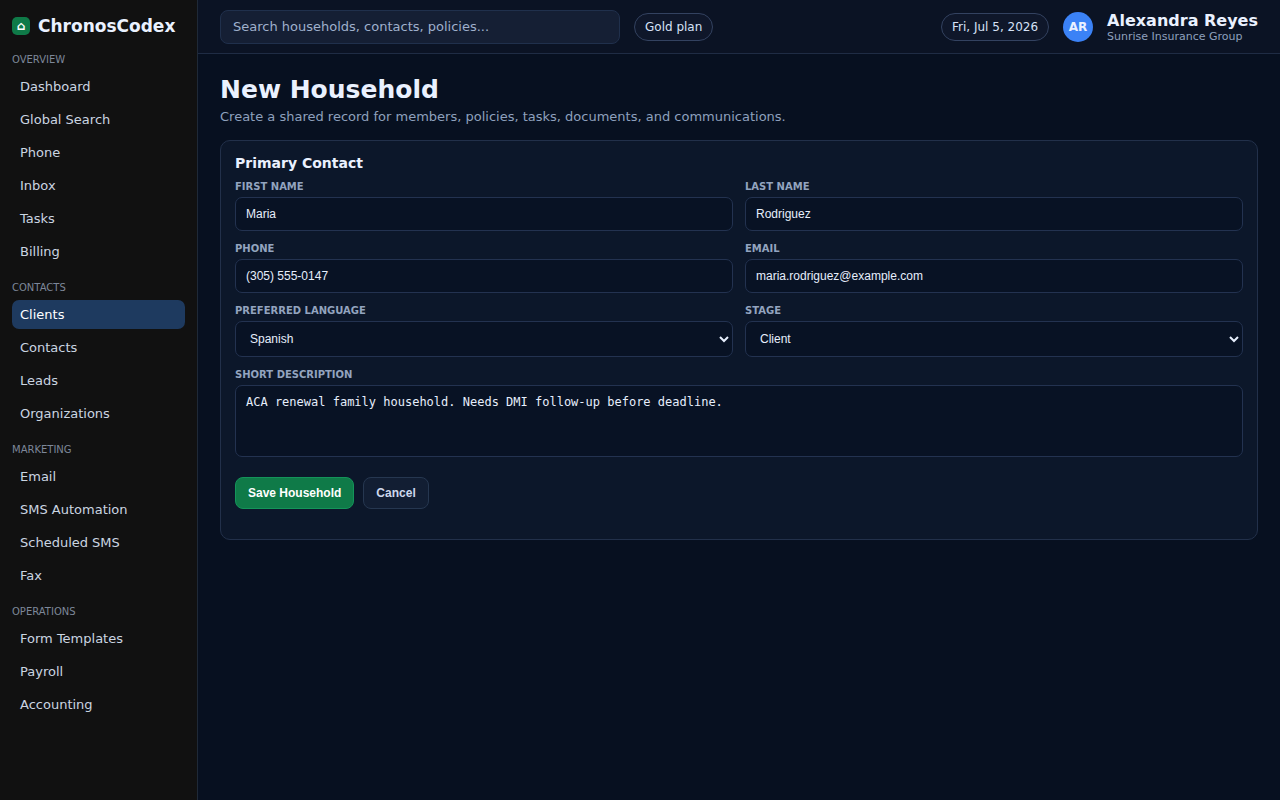
Create a household when a family, applicant, or client group needs a shared record for members, policies, notes, and communications.
Before You Start
- Collect the primary contact name, phone, email, preferred language, and basic coverage status.
- Confirm you are not creating a duplicate by searching first.
Step-by-Step
- Open Clients from the left navigation.
- Search for the client name, email, and phone number to check for an existing household.
- Choose the new household action from the clients page.
- Enter the primary contact details and set the preferred language.
- Add a short description if the household needs context, such as renewal timing or referral source.
- Save the household, then open the new household profile.
- Review the household header, member count, DMI status, policy count, and task count before leaving the page.
Confirm It Worked
- The household appears in Clients search.
- The household profile shows the primary contact and a household code.
- The created date and owner/agent assignment are visible.
Common Issues
- If Save is unavailable, check required fields.
- If the household already exists, update the existing record instead.
- If ownership is wrong, ask an admin to review assignment rules.
Need help or see a different screen? Reply below with the page you are on and what you expected to happen.

ChronosCodex — The Complete Insurance Management System for Agencies
chronoscodex.com